7 Best Apps to Learn Spanish Vocabulary, Compared
"Which app is best for Spanish vocabulary" sounds like a simple question, and it has no answer without follow-ups. The apps in this roundup solve different problems: one keeps you showing up, another gives you total control over your cards, a third teaches you your own words from shows and messages. Until you know which of those you need, comparing them is pointless.
So first, what's actually worth comparing on. Then the table, then a breakdown of each app, and at the end a hint on which one to take for your case.
What to compare on
Six things matter for vocabulary. Everything else is interface detail.
- Your own words. Can you add any word or phrase you ran into in real life, or are you stuck inside a fixed course?
- Context. Does the app give you an example sentence and a meaning, not just a word-and-translation pair?
- Spaced repetition. Does it bring the word back right when you're about to forget it? We covered how that works in the article on spaced repetition.
- Recall, not recognition. Are there exercises where you have to produce the word yourself instead of picking one of four options?
- Audio. Is there a recording, and is there pronunciation practice?
- How much manual work. How many minutes go into preparing a card before you actually start learning?
The comparison table
| App | Your own words | Context and examples | Intervals | Manual work | Who it's for |
|---|---|---|---|---|---|
| VibeLing | Yes, any word or phrase | Yes, automatically | Yes | Minimal | Learns from shows, books, conversations |
| Anki | Yes, but you build the card | Only what you type in | Yes, best control | A lot | Loves settings and full control |
| Quizlet | Yes, in sets | Weak | Partly | Medium | Studying for a test or an exam |
| Duolingo | No | Within the course | Inside lessons | None | Starting from zero, needs the habit |
| Memrise | Limited | Yes, native-speaker video | Yes | Little | Wants to hear real speech |
| Lingvist | Limited | Yes, sentences | Yes, adaptive | None | Building frequency vocabulary fast |
| Drops | No | Pictures instead of translation | Partly | None | Beginner who wants a visual start |
1. VibeLing — for words from your own life
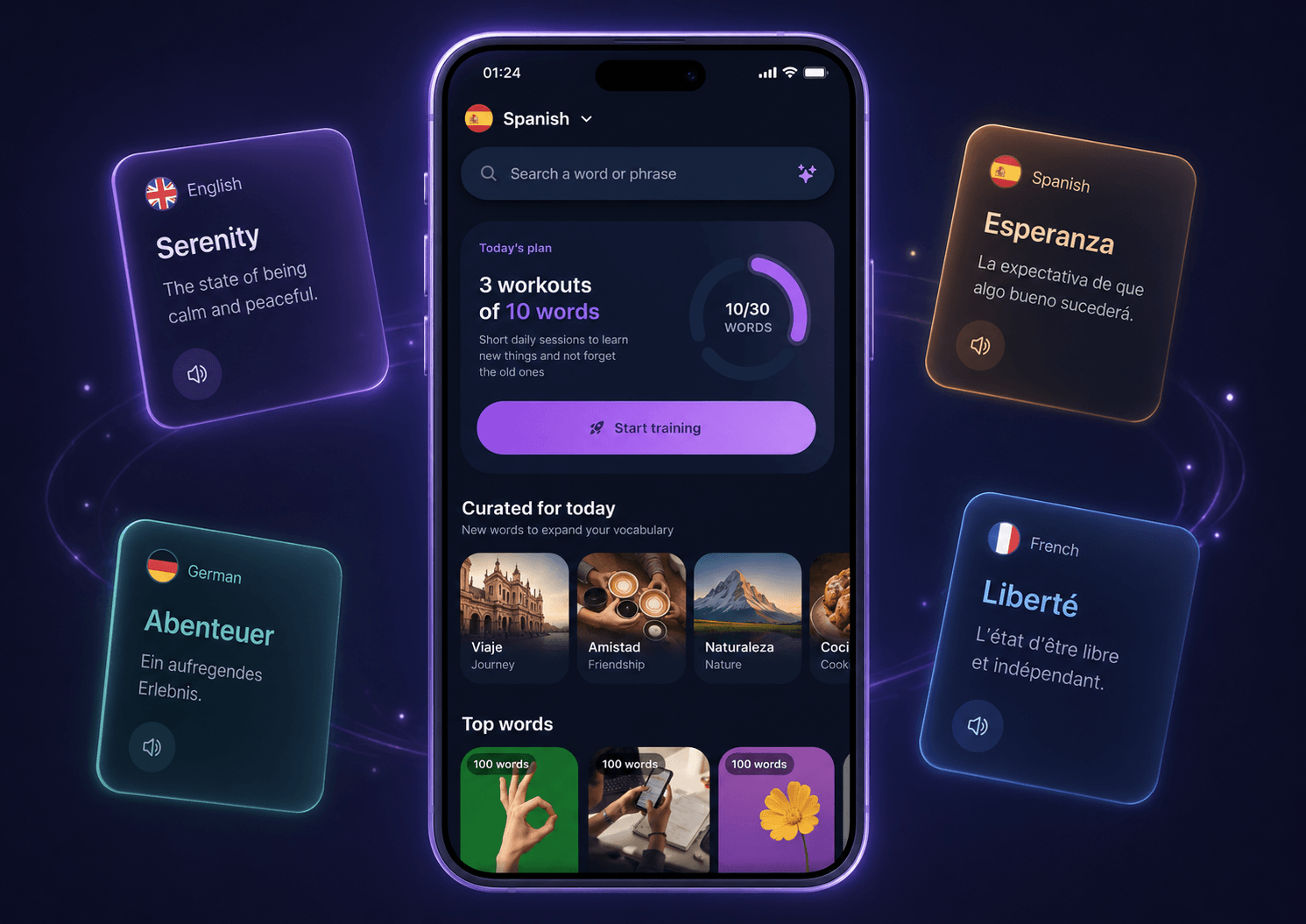
VibeLing is built for one scenario: you heard or read something useful and want to remember it. You paste in a word or a whole phrase, and the app pulls the translation, the transcription, the audio and an example of use — you never assemble the card by hand.

From there the word goes into spaced repetition, and the exercises are built on recall: fill the missing word into a sentence, spell it out, say it aloud. One session is ten words and a few minutes.
Good: any word or phrase goes in, context and audio appear on their own, almost no manual work.
Less good: it isn't a grammar course with A1–B2 levels — if you're starting from scratch, you'll want something alongside it.
Get it: App Store · Google Play
2. Anki — for full control
The classic of spaced repetition. Almost everything is configurable: card types, templates, decks, tags, algorithm parameters. If running the system yourself matters to you, nothing beats Anki so far.
The price is time. You build every card by hand: find the translation, invent an example, hunt for audio, sort it into decks. With twenty words you don't notice; with two hundred it turns into a second job. That's exactly where most people quit — not because the method is bad, but because the prep eats the energy you needed for the reviews themselves.
Good: the algorithm, the flexibility, free on desktop, an enormous community.
Less good: a steep start and a lot of busywork.
Get it: App Store · Google Play — on iOS this is the paid AnkiMobile, on Android the free AnkiDroid.
3. Quizlet — for coursework and exams
Quizlet is handy when the word list has already been handed to you: a textbook chapter, an exam topic, a set of terms. There are huge numbers of ready-made sets, cards are quick to create, and there are test and game modes.
For language learning the limitation is that it's a general-purpose tool rather than a vocabulary app. There's little context, other people's sets are often mediocre, and the exercises don't really force you to pull a word out of memory.
Good: speed, ready-made sets, a format familiar from school.
Less good: little context, shallow review mechanics.
Get it: App Store · Google Play
4. Duolingo — for the habit, not for vocabulary
Duolingo is the best of them at keeping you from quitting: streaks, reminders, short lessons. For a start from zero that works — basic grammar and the first few hundred words settle in on their own.
But the words there are someone else's, out of the course syllabus, and you can't add your own. The exercises are mostly recognition: pick an option or assemble a sentence from ready-made blocks. That's why after a year you often end up with many lessons completed and no words arriving in conversation. We looked at that separately: is Duolingo enough to build your vocabulary.
Good: motivation, a free start, a gentle on-ramp.
Less good: you can't keep your own dictionary.
Get it: App Store · Google Play
5. Memrise — for real pronunciation
Memrise's strength is short videos of real people saying the phrase, rather than a synthesiser. You hear the intonation, the pace and how an expression actually sounds in speech. For listening comprehension that helps noticeably.
The material is mostly prepared in advance and sorted by topic and situation. Saving a rare phrase you caught in your own show is harder here.
Good: real native speech, everyday topics.
Less good: little freedom for your own words.
Get it: App Store · Google Play
6. Lingvist — for frequency vocabulary
Lingvist picks words for your level and moves you down the frequency list: the most common ones first. Words come inside sentences rather than as bare pairs, and the system adapts to your answers.
That's convenient when you don't want to decide anything: open it and study. But the dictionary still belongs to the app rather than to you, so phrases from your own content won't make it in.
Good: adaptive, words in sentences from the start, zero prep.
Less good: general vocabulary rather than yours.
Get it: App Store · Google Play
7. Drops — for a visual start
Drops teaches words through pictures: translation is barely used, and the word is linked straight to an image. Sessions are short, the interface is pleasant, the barrier to entry is minimal.
The format lands well on concrete nouns — food, clothes, the city. With abstract vocabulary and verbs a picture helps less, and phrases and context barely get trained here at all.
Good: an easy start, pleasant short sessions.
Less good: you hit the ceiling quickly.
Get it: App Store · Google Play
How to pick for your case
- Starting from zero and afraid of quitting — Duolingo or Drops, to get pulled in.
- Studying for an exam from a given word list — Quizlet.
- You enjoy tuning a system and don't mind the time — Anki.
- You want frequency vocabulary fast — Lingvist.
- Listening is your weak spot — Memrise, for the native-speaker videos.
- You already understand some Spanish and want words from your own shows, books and messages — VibeLing.
A combination is fine too, and often works better than one app: a course for the basics and the habit, plus a separate place where your personal dictionary accumulates. Those two jobs barely overlap.
Conclusion
There's no single best app for everyone, but the choice narrows fast if you answer one question honestly: do you need to work through someone else's syllabus, or to remember your own words? Courses are good at the first; apps built on your own words are good at the second.
If yours is the second case, try practising words in VibeLing: add ten words you came across in the past week and check in seven days how many of them come back with no prompts.